How to Turn Your AI Characters into a Merch Business in a Weekend
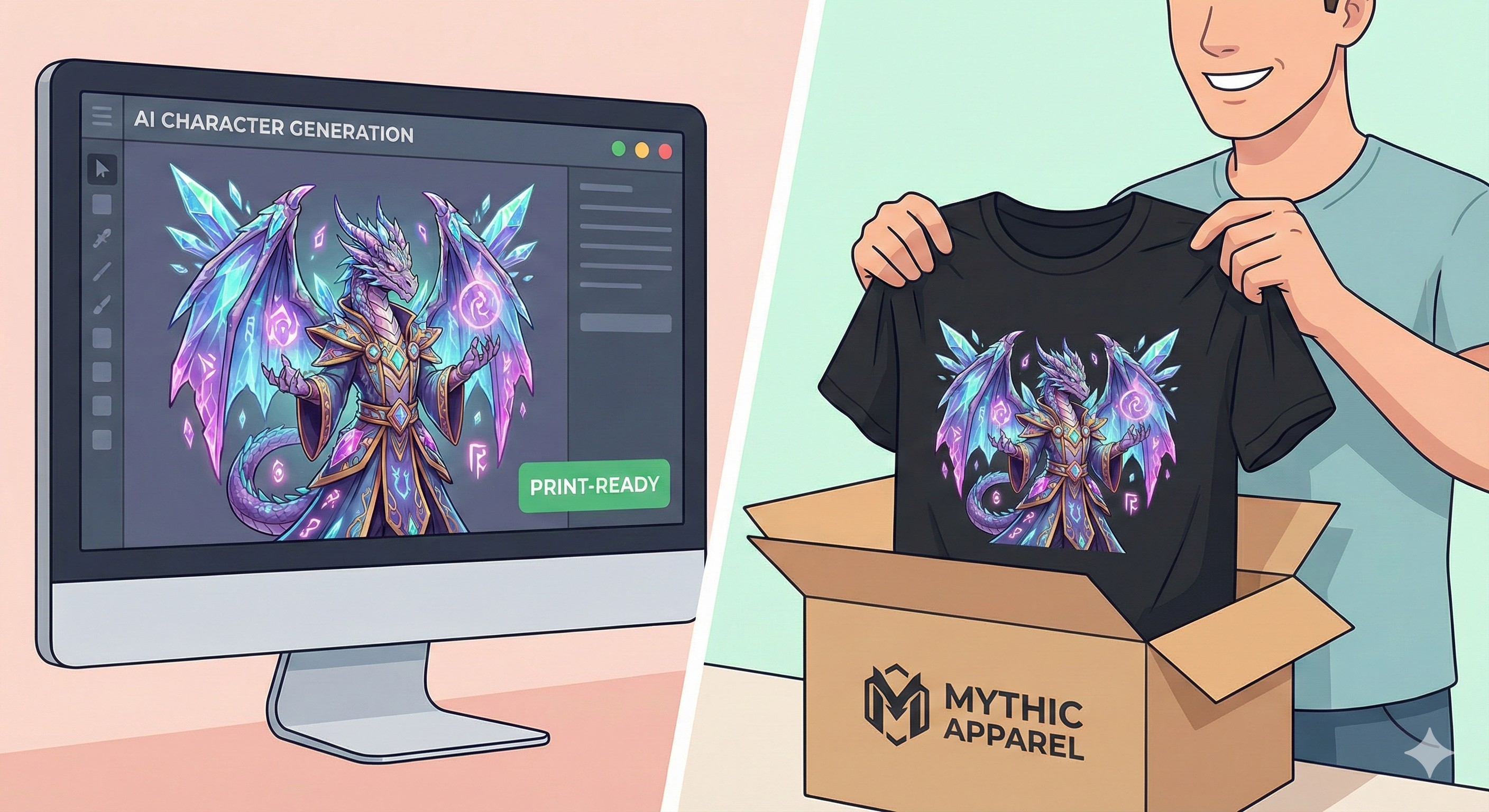
How to Turn AI Art into a Profitable Merch Empire in 2026
As a creator, author, or world-builder using AI in 2026, you likely have a hard drive overflowing with incredible images. You have generated breathtaking protagonists, menacing villains, and cyberpunk landscapes that look like concept art for a $200 million blockbuster movie.
But right now? They are just pixels gathering digital dust.
The difference between a hobbyist and a creative entrepreneur is merchandise. Your audience doesn't just want to read your story or watch your videos; they want to inhabit your world. They want the hoodie with your faction's logo, or the coffee mug featuring your protagonist.
Here is the exact, step-by-step workflow on how to move from a Midjourney or Kling AI generation to a live, profitable Shopify storefront—without buying a warehouse full of inventory or learning complex code.
At a Glance: The Print-on-Demand Workflow
| Phase | Action | Tools Required | Goal |
|---|---|---|---|
| 1. The Asset | Upscale & Vectorize | Magnific AI / Vectorizer | Get print-ready, 300 DPI resolution. |
| 2. The Mockup | Remove Backgrounds | Canva / Photoroom | Make the design look natural on fabric. |
| 3. Logistics | Print on Demand (POD) | Printful / Printify | Zero-inventory fulfillment and shipping. |
| 4. Storefront | E-commerce Setup | Shopify | Build your branded, automated storefront. |
| 5. Marketing | Animate the Merch | Kling AI | Create viral video ads of your characters. |
Phase 1: The Asset (High-Resolution Creation)
The single biggest mistake AI creators make is trying to print a standard generation directly onto a t-shirt. Native generations (usually 1024x1024 pixels) are way too low-resolution for physical printing. If you try it, the shirt will look blurry, pixelated, and cheap.
- The Fix: You must upscale. Use AI upscalers like Magnific AI or Topaz Gigapixel to push your image to at least 4K resolution (aiming for 300 DPI at the physical print size).
- Vectorizing (The Pro Move): If you are printing logos, insignias, or typography from your story world, convert the image to a Vector file (SVG). This ensures the lines remain razor-sharp whether printed on a small sticker or a massive wall poster.
Phase 2: The Mockup (Visualizing the Product)
Before you try to sell anything, you need to ensure the design actually works on physical products.
Do not just slap a square, AI-generated image with a background onto a white t-shirt. That screams "amateur dropshipper."
- Remove the Background: Use tools to strip away the background so only your character or logo remains, allowing it to blend seamlessly into the fabric of the shirt.
- Placement Matters: A subtle, small embroidered logo on the left chest is often much more stylish (and sells significantly better) than a massive, loud image covering the entire front of a hoodie.
Phase 3: The Logistics (Print on Demand)
You do not need a garage full of cardboard boxes. The modern standard for creators is Print on Demand (POD).
Services like Printful or Printify handle the entire physical supply chain. Here is what happens when a fan buys a hoodie from your website:
- The order goes automatically to the POD provider.
- They print your design onto the blank hoodie.
- They package it and ship it directly to your customer under your brand name.
- You keep the profit margin (the difference between your retail price and the base cost).
This model is virtually risk-free for creators who just want to test the waters.
Phase 4: The Storefront (Shopify)
You need a place to sell. While marketplaces like Etsy are an option, you are essentially renting land there, and you have to fight against thousands of cheap competitors. To build a real brand for your story, you want your own store.
Why Shopify? For creators in 2026, Shopify remains the undisputed king of e-commerce. It integrates seamlessly with the POD providers mentioned above. You can sync your store so that the moment you design a new product in Printful, it automatically appears on your Shopify site as an active product listing with inventory tracking.
- Design for Story: Choose a clean, dark-mode theme if you write sci-fi, or a minimalist theme for fantasy.
- Write Lore, Not Descriptions: Don't just write "100% Cotton T-Shirt." Write: "The official off-duty uniform of the Luna City Resistance. 100% breathable cotton for the Martian summer." Storytelling sells merchandise.
Phase 5: The Marketing (The Kling AI Unfair Advantage)
Read our full, deep-dive Kling AI Review here
Standard clothing brands pay thousands of dollars for studio photoshoots with fashion models. As an AI creator, you have an unfair advantage: you can use Kling AI to create virtual models.
The Workflow:
- Take your original character design.
- Use Kling AI’s advanced Image-to-Video generation.
- Prompt the AI to animate your character wearing clothes that match the merchandise you are selling.
You can now run video ads on TikTok, YouTube Shorts, or Instagram Reels showing your protagonist alive and wearing the exact gear your fans can buy. In the fast-paced world of social media, dynamic video stops the scroll significantly better than a static photo of a folded t-shirt.
The Boring Truth: Margins and Copyright
Before you launch your empire, you need to understand the "boring truth" of Print on Demand e-commerce.
- Profit Margins are Slim: Because the POD provider handles the printing, shipping, and blank garment costs, you do not make $25 on a $25 t-shirt. You typically make between $5 and $8 per shirt. POD relies on volume. You need to sell a lot of shirts to make a full-time living, which is why having an engaged audience for your stories is crucial.
- AI Copyright is Tricky: In many jurisdictions, raw AI-generated art cannot be copyrighted. To protect your brand, add human elements: typography, custom graphic design layouts, and specific lore elements to your designs to make them uniquely yours.
Frequently Asked Questions (FAQ)
Do I need an LLC or business license to start on Shopify? In most countries, you can start selling as a sole proprietor (using your own name/tax ID) to test the waters. Once you start making consistent revenue, it is highly recommended to form an LLC for liability protection. (Always consult a local tax professional).
What happens if a customer wants a return? This is the one downside of POD. Because the items are printed specifically for that customer, POD companies generally do not accept returns for "buyer's remorse" or wrong sizing. You will need to outline a clear return policy on your Shopify store stating that all sales are final unless the item arrives damaged or misprinted.
How much does this whole setup cost upfront? Practically nothing. Generating the art costs a few dollars in AI credits. Printful/Printify are free to use (you only pay when a customer buys). Your only real upfront cost is your Shopify subscription, which often runs promotional trials for new merchants.
The Final Verdict
Your stories and characters shouldn't just live in text documents or hidden video files. By putting your art on physical products, you turn your audience into walking, talking billboards for your brand.
It has never been easier to bridge the gap between digital art and physical products. You can literally set up this entire global supply chain from your laptop in a single weekend.
Ready to launch your merch shop?
- 👉 Step 1: Start building your automated storefront with a Shopify $1/month trial here.
- 👉 Step 2: Create your cinematic video marketing ads using Kling AI here.
Transparency Note: The Story & Script AI Directory is reader-supported. We may earn a commission if you purchase through our links.
Listings related to How to Turn Your AI Characters into a Merch Business in a Weekend

Kling AI
Create professional videos and images with Kling AI's state-of-the-art generative AI platform. Our tools support video generation, image creation, and advanced editing capabilities for content creators.
Heygen
Turn your scripts into professional videos instantly. HeyGen removes the need for cameras by using realistic AI avatars. Perfect for writers and creators.

InVideo
Create & edit AI videos, AI Avatars, UGC product ads and much more!