How to Write a Faceless YouTube Script with AI in 20 Minutes
The faceless YouTube landscape has shifted cleanly away from generic automation. In the early days of the medium, a creator could pair basic stock footage with a robotic text-to-speech voice and generate modest ad revenue. Today, audience retention dictates distribution. If a video lacks structural pacing, nuanced voice work, and visual intent, viewers click away within seconds.
The strategy for building a profitable faceless channel in 2026 is not about generating text in volume; it is about compressing production workflows without compromising narrative quality. By treating specialized artificial intelligence platforms as single-task execution partners, a solo creator can take a raw video concept to a production-ready script in exactly twenty minutes.
Writers often find that standard, unguided chatbots produce predictable, clinical prose. To counter this, creators must enforce a strict, human-aligned formatting structure. Here is the definitive four-step framework to execute this workflow efficiently.
Step 1: The Foundation — Engineering the Hook (Minute 0–5)
A script is only as good as its first three sentences. If the opening frame fails to introduce a compelling narrative question, the YouTube algorithm drops the video's reach. General prompts like "write a script about space" yield boring results. Instead, creators should focus the first five minutes entirely on generating structural tension.
For this phase, idea extraction tools or specialized platforms like StoryLab.ai help brainstorm raw angles. When drafting the opening hooks, writers find it useful to instruct the AI assistant to output three distinct structural variations:
- The Misconception Hook: Challenges a deeply held belief (e.g., "Everything you have been told about the library of Alexandria is historically inaccurate.")
- The High-Stakes Hook: Focuses on a hidden vulnerability or mistake.
- The In-Media-Res Hook: Drops the listener directly into the center of an active, unfolding scenario.
By isolating the hook generation from the rest of the script, creators can ensure the entry point of the video is calculated for maximum retention before a single paragraph of body text is written. For a deeper look at ideation mechanics, you can read our full StoryLab.ai Review.
Step 2: Mapping the Narrative Beats (Minute 5–10)
With a calculated hook established, the script requires a clear blueprint. A competitive ten-minute YouTube video needs three primary acts, punctuated by a psychological shift or "pattern interrupt" every 45 to 60 seconds to maintain engagement.
For managing complex informational arcs, Sudowrite provides a highly tailored digital canvas. While authors use its Story Engine architecture for fiction, the core logic translates perfectly to historical documentaries, true crime, or finance scripts. It treats data points as narrative beats rather than a flat list of facts.
To keep the script structured for immediate video editing, creators should instruct the system to format the output into a distinct two-column layout:
- The Audio Column: Containing the precise spoken dialogue.
- The Visual Directions Column: Instructing the editor—or the video generation tool—exactly what should appear on screen during that specific spoken beat.
You can explore how to configure these formatting templates in our comprehensive Sudowrite Review.
Step 3: Removing the "AI Voice" (Minute 10–15)
Standard generative engines rely on a predictable vocabulary. Unedited scripts frequently overuse stylistic crutches like "delve deeper," "in today's digital age," or "it is important to remember." These phrases act as immediate red flags to modern audiences and hurt channel credibility.
During this five-minute block, review the prose using a refinement layer. Instruct the assistant to apply three structural corrections to the draft:
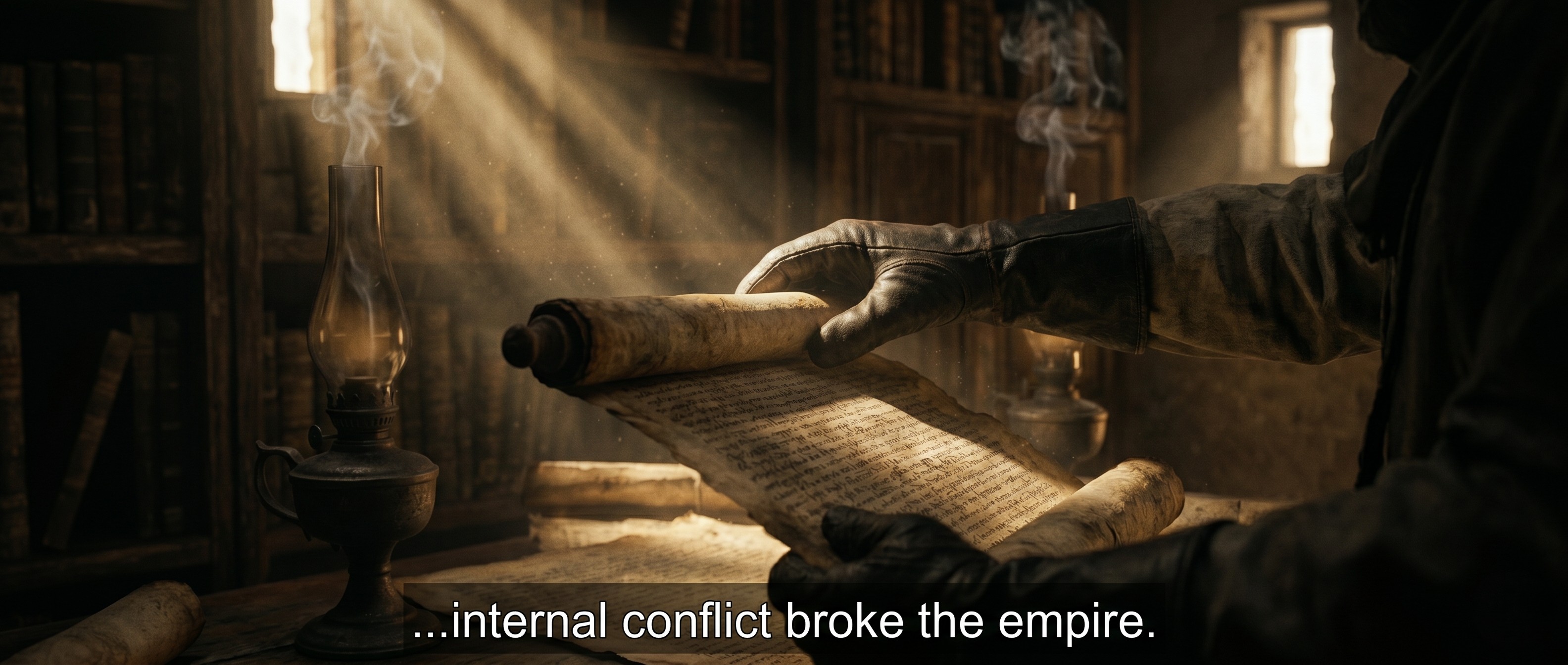
- Convert passive statements into active verbs: Change "The empire was brought down by internal conflict" to "Internal conflict broke the empire."
- Enforce erratic sentence lengths: Spoken scripts require short, punchy phrases mixed with medium-length sentences so the narrator has natural breathing room.
- Incorporate casual structural pivots: Drop in conversational connective tissue like "Here is the catch," or "But the story does not end there."
Read the generated text aloud. If a sentence feels difficult to pronounce naturally, iterate the prompt to simplify the syntax.
Step 4: Transforming Script to Video with InVideo AI and Kling AI (Minute 15–20)
The final five minutes are reserved for transforming your text into a deployable production plan. Because we are bypassing restricted or non-monetizable legacy affiliate channels, creators must align their finalized visual directions column with high-utility asset tools that scale:
- For Rapid All-in-One Production: If your workflow prioritizes rapid automated deployment, copy your finalized script directly into InVideo AI. The platform immediately parses the narrative beats, generates a tailored voiceover, and automatically cuts relevant B-roll imagery, dynamic captions, and soundscapes into a complete, editable video draft within a single rendering window.
- For Hyper-Realistic Cinematic Scenes: If your channel relies on premium, highly specific aesthetics that standard stock footage cannot match, take the prompts from your visual directions column and drop them into KlingAI. As a powerhouse for generative text-to-video, Kling AI allows you to render custom, cinematic Hollywood-grade clips with physics that keep viewers glued to the screen.
For a complete head-to-head breakdown of how automated generation stacks up against raw creative control, see our full guide on InVideo AI vs Competitors.
The Business Verdict
A faceless YouTube channel is an online business property, not a hobby. Treating script creation as a random, unstructured prompt session results in low retention metrics and wasted software subscription fees. By dividing your twenty-minute writing block into dedicated segments—Hook engineering, Narrative mapping, Dialogue translation, and Production prepping—you protect the editorial quality of the asset while maintaining the volume necessary to scale your digital portfolio.
Explore our full AI Tool Directory to evaluate these platforms side-by-side and determine which system fits your creative pipeline.
Transparency note: This site is reader-supported. If you click our link and make a purchase, we may earn a commission at no extra cost to you. We only recommend tools we have genuinely reviewed.
Listings related to How to Write a Faceless YouTube Script with AI in 20 Minutes

Elevenlabs
Is ElevenLabs the most realistic AI voice generator on the market? We tested its voice cloning and long-form storytelling features to see if it lives up to the hype.

InVideo
Create & edit AI videos, AI Avatars, UGC product ads and much more!

Kling AI
Create professional videos and images with Kling AI's state-of-the-art generative AI platform. Our tools support video generation, image creation, and advanced editing capabilities for content creators.
Sudowrite
Boost your storytelling and scriptwriting with Sudowrite AI — brainstorm ideas, refine dialogue, and structure plots with ease.