Pictory Review 2026: The Fastest Way to Repurpose Written Content Into Video
Every modern creator and business owner knows the golden rule of marketing: Video is required. But the reality of producing video is often overwhelming.
If you write a 1,500-word blog post or record a 60-minute podcast, turning that content into engaging, highly visual YouTube Shorts or TikToks usually requires expensive software, a subscription to a stock footage library, and hours of tedious timeline editing.
Pictory was built to completely eliminate this bottleneck. It promises to turn your written text into professional, caption-ready videos automatically. But as the platform expands in 2026 with new generative AI tools, does it actually produce high-quality narrative content, or does it just spit out generic slideshows? Here is the honest breakdown.
Quick Snapshot
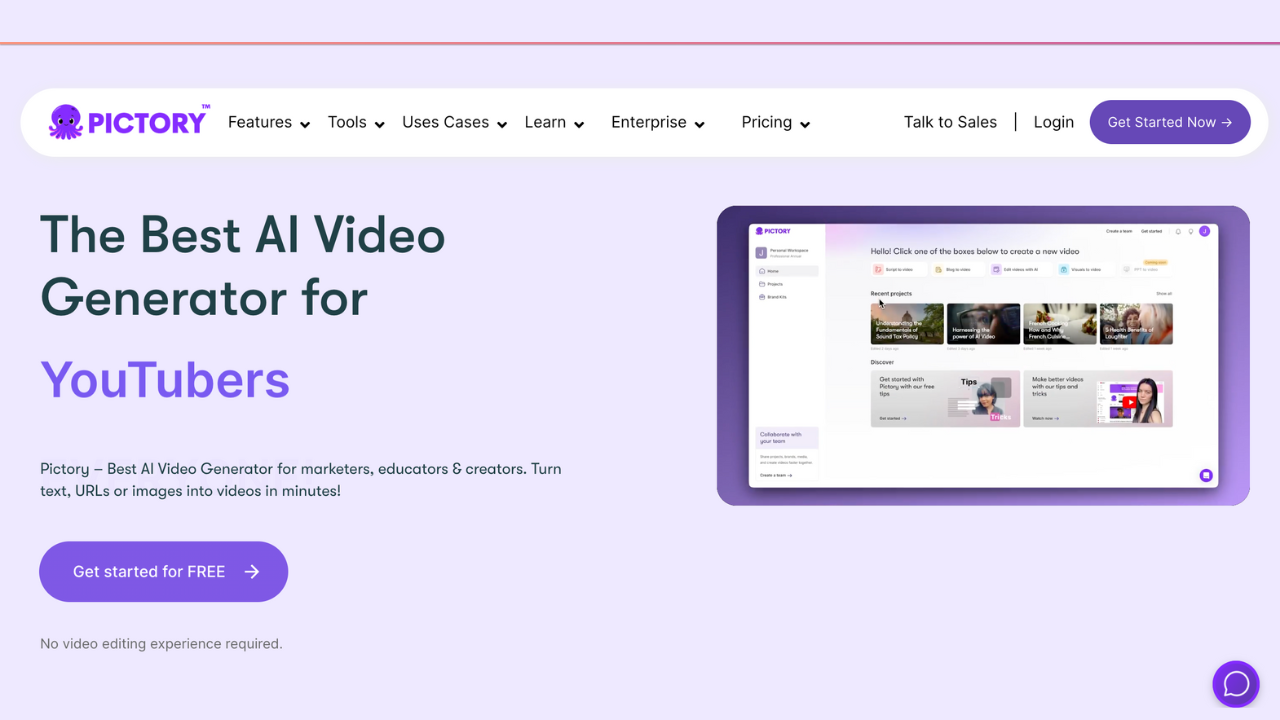
Pictory is an AI-powered video generator that transforms scripts, blog posts, and long-form recordings into polished, shareable videos in minutes. By automatically matching your text to relevant stock footage, generating accurate captions, and applying premium AI voiceovers, it removes the technical friction of traditional video editing.
The Core Problem It Solves
The hardest part of video editing is not cutting the clips; it is finding the right "B-roll" (background footage) to match what you are saying.
Pictory solves the problem of visual sourcing. Instead of manually searching through stock libraries for a clip of a "businesswoman looking stressed," Pictory reads your script, understands the context, and automatically pulls the perfect high-definition clip from its massive Getty Images and Storyblocks library. It places the clip on the timeline, adds the text as a caption, and syncs it to the voiceover. It turns hours of manual assembly into a three-minute automated process.
Who is Pictory For?
Best for:
- YouTubers & "Faceless" Channels: Creators who want to produce high-volume, visually engaging video essays or documentaries without ever stepping in front of a camera.
- Coaches & Course Creators: Educators who want to upload a 60-minute Zoom webinar and have the AI automatically extract the three most engaging 30-second highlight clips for Instagram.
- Bloggers & SEO Marketers: Writers who want to paste the URL of their latest article and have it instantly converted into a YouTube video to capture search traffic on a second platform.
Not for:
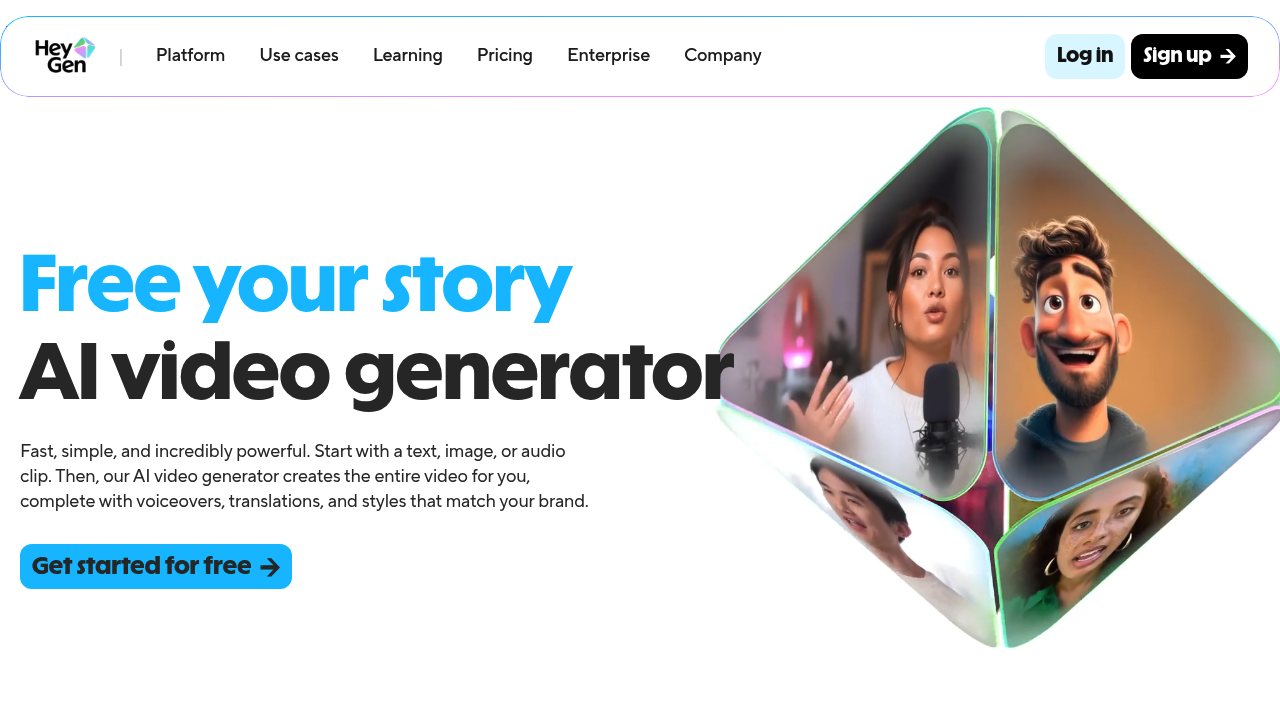
- Avatar & Presenter Videos: If you want an AI-generated human looking into the camera to read your script, Pictory is the wrong tool. You need a dedicated avatar platform. Read our full HeyGen Review here.
- Complex Narrative Filmmakers: If you need to color-grade raw camera footage or add precise visual effects, stick to traditional software like Premiere Pro.
Practical Benefits: Real-World Workflows
Here is how you actually use Pictory to scale your storytelling:
- The Blog-to-Video Pipeline: You drop your blog post URL into Pictory. The AI reads the article, extracts the core arguments, and builds a storyboard. You now have a video asset to embed at the top of your blog post, which significantly increases the time visitors spend on your page (a massive SEO boost).
- Automated Social Clips: You upload a long podcast interview. Pictory's AI analyzes the transcript, finds the moments with the highest emotional engagement, and cuts them into vertical (9:16) clips with burnt-in, TikTok-style captions.
- Script-to-Screen: You write a narrative script, choose a mood, and let the AI build the entire visual sequence.
Unique Features for Storytellers
- Pictory AI Studio (New for 2026): If the stock library doesn't have the exact, hyper-specific image you need for a scene, you no longer have to leave the app. You can use their built-in AI image generator to prompt a custom visual and drop it directly onto the video timeline.
- ElevenLabs Voice Integration: Pictory now natively integrates voices from ElevenLabs (the current industry standard for emotive AI narration), meaning your faceless videos no longer sound like a GPS robot reading the news.
- Text-Based Editing: Just like a word document, if you see a sentence in the generated transcript you do not like, you simply hit the "Backspace" key. The video and audio are automatically cut to match.
Pictory vs. The Competition
- Pictory vs. InVideo: This is the most common comparison. Read our deep-dive Pictory vs InVideo comparison here. InVideo offers more robust templates and gives you more granular control over the design elements of the video. Pictory, however, is much stronger and faster when it comes to summarizing and repurposing long-form text or long videos.
- Pictory vs. Descript: Read our full Descript Review here. Descript is primarily an audio-first tool, brilliant for heavy podcast editing. Pictory is a visual-first tool, brilliant for turning a text script into a video with B-roll.
Pricing (The Boring Truth)
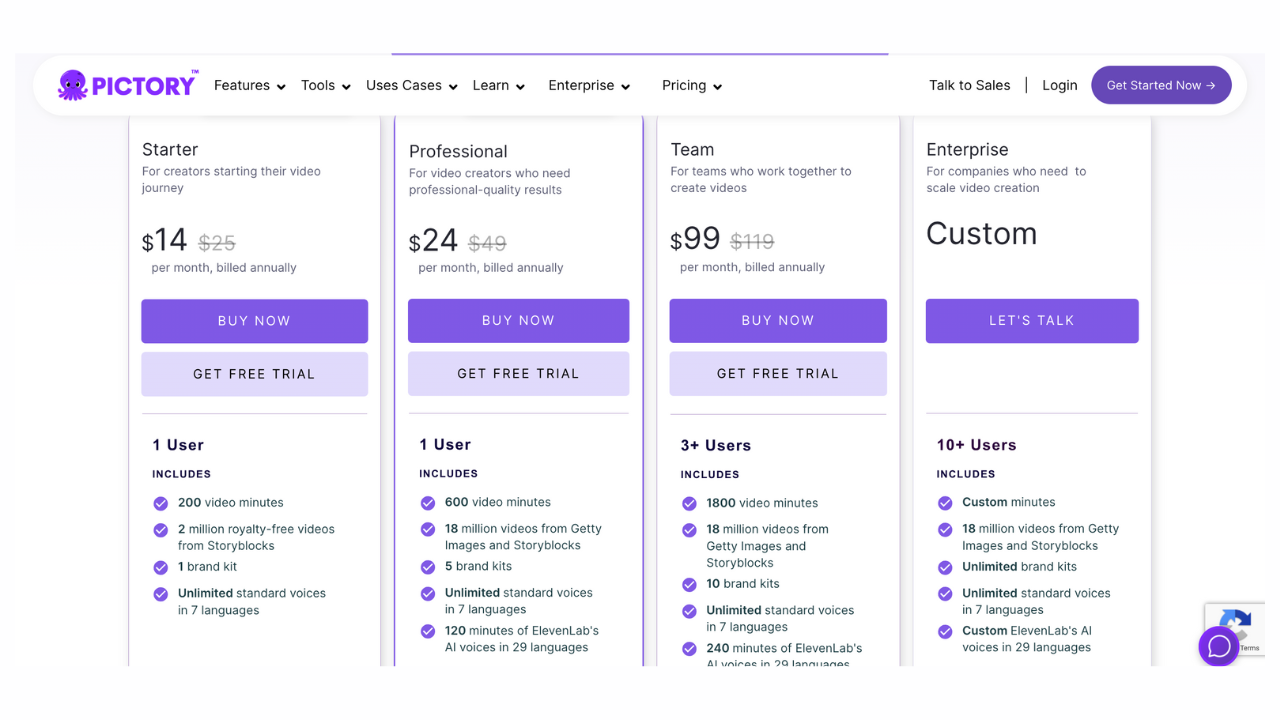
Pictory operates on a tiered subscription model based on the number of video minutes you export per month. (Note: Software pricing changes, so always check the official site).
- Starter Plan (~$19 - $25/month): Gives you 200 video minutes per month. Excellent for beginners and solo creators testing the waters.
- Professional Plan (~$39 - $49/month): The sweet spot for active YouTubers. Unlocks 600 video minutes, the premium Getty Images library, and the high-quality ElevenLabs AI voices.
- Teams Plan (~$99 - $119/month): Built for agencies managing multiple client brands, offering 1,800 minutes and collaborative workspaces.
Support & Social Proof
Pictory boasts a massive user base and an active Facebook community where creators share workflow tips.
The general consensus among creators is that the auto-captioning and visual matching save an incredible amount of time. However, the "boring truth" is that the AI's visual selection is rarely 100% perfect on the first try. You will almost always need to spend 5 to 10 minutes manually swapping out a few generic stock clips for more relevant ones before you hit export.
Frequently Asked Questions (FAQ)
Can I use my own voice instead of the AI?
Yes. You can upload an audio file of your own voiceover, and Pictory will automatically sync the stock visuals and captions to match your pacing.
Do I own the commercial rights to the videos?
Yes. All stock footage provided through their Storyblocks and Getty integrations is fully licensed. You can monetize these videos on YouTube or use them in paid Facebook ads without copyright strikes.
Is it easy to use if I have zero editing experience?
Absolutely. The entire interface is designed around text. If you know how to use Microsoft Word or an email client, you have the technical skills required to use Pictory.
Verdict: Is It Worth the Investment?
If your goal is to edit a cinematic short film, Pictory is not for you.
But if you are a business owner, a marketer, or a YouTube creator who needs to stay visible across multiple platforms without spending 20 hours a week in an editing bay, Pictory is an essential productivity multiplier. It remains the fastest, most reliable tool on the market for turning written words into polished, ready-to-publish video content.
Start your free trial and turn your text into video with Pictory here
Transparency Note: The Story & Script AI Directory is reader-supported. We may earn a commission if you allow us to guide you to a purchase.