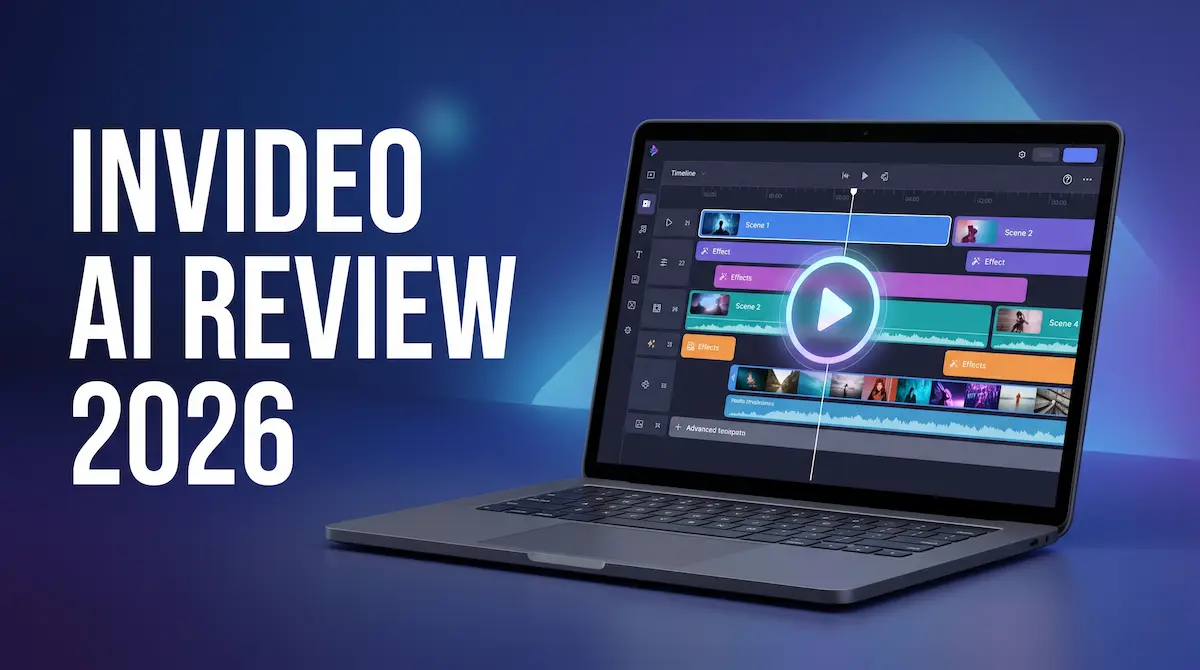
InVideo AI Review 2026
If you have spent any time researching faceless YouTube channels or AI video tools, InVideo AI has almost certainly shown up in your feed. It is one of the most widely used text-to-video platforms around, and for good reason: the workflow is genuinely fast, the output is clean, and the entry price is reasonable. But "popular" is not the same as "right for your situation," and InVideo has some real limitations that the marketing page does not advertise.
This review covers what InVideo AI actually does well in 2026, where it quietly frustrates people, how the pricing model really works (including the credit trap most buyers miss), and who should pick something else entirely.
The short answer: InVideo AI is a strong choice for creators running faceless YouTube channels or producing social content at volume. The Plus plan at $20 per month on annual billing is the right starting point for most people. Where it struggles is brand-distinct output, emotional storytelling, and anything beyond the export step. If those matter to you, keep reading before you pay.
What is InVideo AI?
InVideo AI is a prompt-to-video platform. You describe what you want, and the tool builds a video from your script, a URL, or a text prompt, pulling from a stock media library, applying AI voiceover, and assembling the result into something ready to export. The whole thing is browser-based, no software to install.
The platform has been around since 2019, and in 2026 it sits firmly in the YouTube automation space. Its core audience is creators who want to publish faceless video content consistently without spending hours on editing. Drop in a script, let the AI do the heavy lifting, review and adjust, export.
What separates InVideo from a basic template tool is the conversational editing layer. You can type instructions like "make the intro shorter" or "change the background music" and the AI makes the edit. It is not magic, and you will need to correct it fairly often, but it does remove a lot of manual clicks from the process.
The features that actually matter
Prompt-to-video workflow. Paste in a script or a URL, choose a style, and InVideo builds a rough cut. For faceless channel content, how-tos, listicles, or explainers, the first draft is often 70-80% of the way there. That is genuinely useful when you are publishing multiple videos per week.
iStock integration. This is one of InVideo's real differentiators. Paid plans include access to Getty's iStock library, which is a substantial step above the generic free stock footage most tools offer. If your content relies on clean, professional B-roll, this is worth something. The caveat is that iStock downloads come from a separate credit pool, which we will get to in a moment.
AI voiceover and voice cloning. Plus plans include two voice clones and a decent allocation of voiceover minutes. The voice quality is solid for narration. Pronunciation on uncommon words can slip, but it is correctable.
Conversational editing. The ability to refine a video through typed instructions rather than manual timeline editing is the feature that saves the most time. It is imperfect, but it is faster than doing it by hand for most adjustments.
Commercial license on paid plans. Everything you produce on Plus or Max can be monetised. YouTube ad revenue, sponsored content, client work. You do not need to climb to an expensive tier for this, which is handled more cleanly here than at some competitors.
The credit trap, explained
This is the thing most reviews gloss over, and it genuinely affects how much you get for your money.
InVideo does not run on a simple video-count or minute model. Your plan gives you several separate credit pools: AI generation minutes, iStock asset downloads, voiceover minutes, and voice clone slots. Each pool is independent. You can run out of iStock downloads while your AI minutes are untouched. You can burn through voiceover minutes while your iStock pool sits full. There is no unified dashboard warning before a pool runs dry.
The other catch is iteration. When the AI builds your first draft and it is not quite right, fixing it burns more generation minutes. A video that takes three attempts to get right costs three times the minutes of one that lands on the first try. At volume, this means your effective cost per published video is higher than the plan price suggests. Heavy users hit their limits well before the end of the month.
Credits do not roll over. Whatever you have left on the last day of your billing period disappears.
Plan it accordingly. If you are producing ten or more videos per week, you will likely need to track your usage actively or budget for occasional top-up purchases.
InVideo AI pricing in 2026
InVideo runs four tiers. Plus costs $25 per month on monthly billing, or around $20 per month on an annual plan. Max costs $60 per month, or around $48 on annual billing. A Generative tier at around $120 per month bundles access to Sora 2 and Veo 3.1 for cinematic AI-generated footage.
| Plan | Monthly | Annual (per month) | AI generation | iStock downloads |
|---|---|---|---|---|
| Free | $0 | $0 | 10 min/week, watermarked | None |
| Plus | $25 | ~$20 | 50 min/week | 80/month |
| Max | $60 | ~$48 | 200 min/week, 4K export | 320/month |
| Generative | ~$120 | varies | Includes Sora 2 and Veo 3.1 | 320/month |
A few things the table does not tell you.
The free plan is useful for testing the interface and seeing whether the output style fits your content. It is not viable for anything you actually want to publish, because of the watermark and the weekly limit.
The Plus plan covers a reasonable publishing cadence for a solo creator. If you are running one faceless YouTube channel and posting three to five videos per week, Plus will likely cover you. If you are pushing daily uploads across multiple channels, you will hit the ceiling.
Max makes sense when you consistently run out of Plus credits. Not before. The jump in price is significant, and most individual creators do not need the higher limit until they have built a production rhythm.
The Generative tier is for a specific use case: creators who want native access to AI-generated cinematic footage (Sora 2, Veo 3.1) inside a single workflow. It is not a general upgrade. Most creators on Plus or Max will not need it.
What's good, and what isn't
Strengths
- Fast first drafts for faceless content, especially how-to and listicle formats
- iStock integration gives paid plans access to genuinely good B-roll
- Conversational editing saves time compared to manual timeline work
- Commercial license included on all paid plans
- Reasonable entry price at $20 per month on annual billing
Weaknesses
- Separate credit pools create confusion and unexpected limits
- Output leans heavily on stock footage, so videos can look generic
- Limited manual control when the AI gets something almost right
- No built-in scheduling or publishing; the workflow stops at export
- Credits do not roll over, which hurts creators with uneven publishing schedules
- Iteration burns credits fast, making the effective cost per video higher than it looks
Who InVideo AI is for, and who should skip it
InVideo is a natural fit if you are running a faceless YouTube channel, producing how-to content, or creating social video at a consistent volume. The workflow is built for exactly that, and the iStock access adds genuine value if clean B-roll matters to your content.
You should look elsewhere if you want video that looks visually distinctive rather than stock-footage familiar. You should also skip it if your workflow needs to go beyond the export step into scheduling and publishing, or if you want tight manual control over the final edit.
If you are weighing InVideo against its closest rivals, we went through the specifics in our Kling AI vs InVideo AI comparison and our Pictory vs InVideo review. The short version: Kling AI wins on generated visuals and cinematic quality; InVideo wins on stock-footage workflow and iStock integration.
One alternative worth knowing: Kling AI generates visuals using its own AI models rather than assembling stock footage, and produces a distinctly different look. If the template-and-stock ceiling is the main thing holding you back from InVideo, Kling AI is worth testing.
If you want to see InVideo inside a real workflow, our guide on writing a faceless YouTube script with AI in 20 minutes walks through exactly how it fits into a production pipeline.
The verdict
InVideo AI is a capable, well-priced tool for a specific type of creator. If you produce faceless YouTube content at a steady pace and value iStock access, it earns its price at the Plus level. The credit economics and the stock-footage ceiling are real limitations, but they are manageable once you know about them going in.
The platform has improved in 2026. The conversational editing is genuinely useful, the output quality is consistent, and the pricing is competitive for what it offers. It is not the tool for brand-distinct video or for creators who want their workflow to end in a scheduled post rather than an exported file. Know which camp you fall into, and the decision is straightforward.
For most people starting out with faceless YouTube content, the free plan is enough to know whether InVideo fits. Upgrade to Plus once you are ready to publish properly.
Full details and our verdict are also on the InVideo listing page.
Listings related to InVideo AI Review 2026

InVideo
Create & edit AI videos, AI Avatars, UGC product ads and much more!

Kling AI
Create professional videos and images with Kling AI's state-of-the-art generative AI platform. Our tools support video generation, image creation, and advanced editing capabilities for content creators.