Squibler vs. Sudowrite: Do You Need a Writing Partner or a Project Manager?
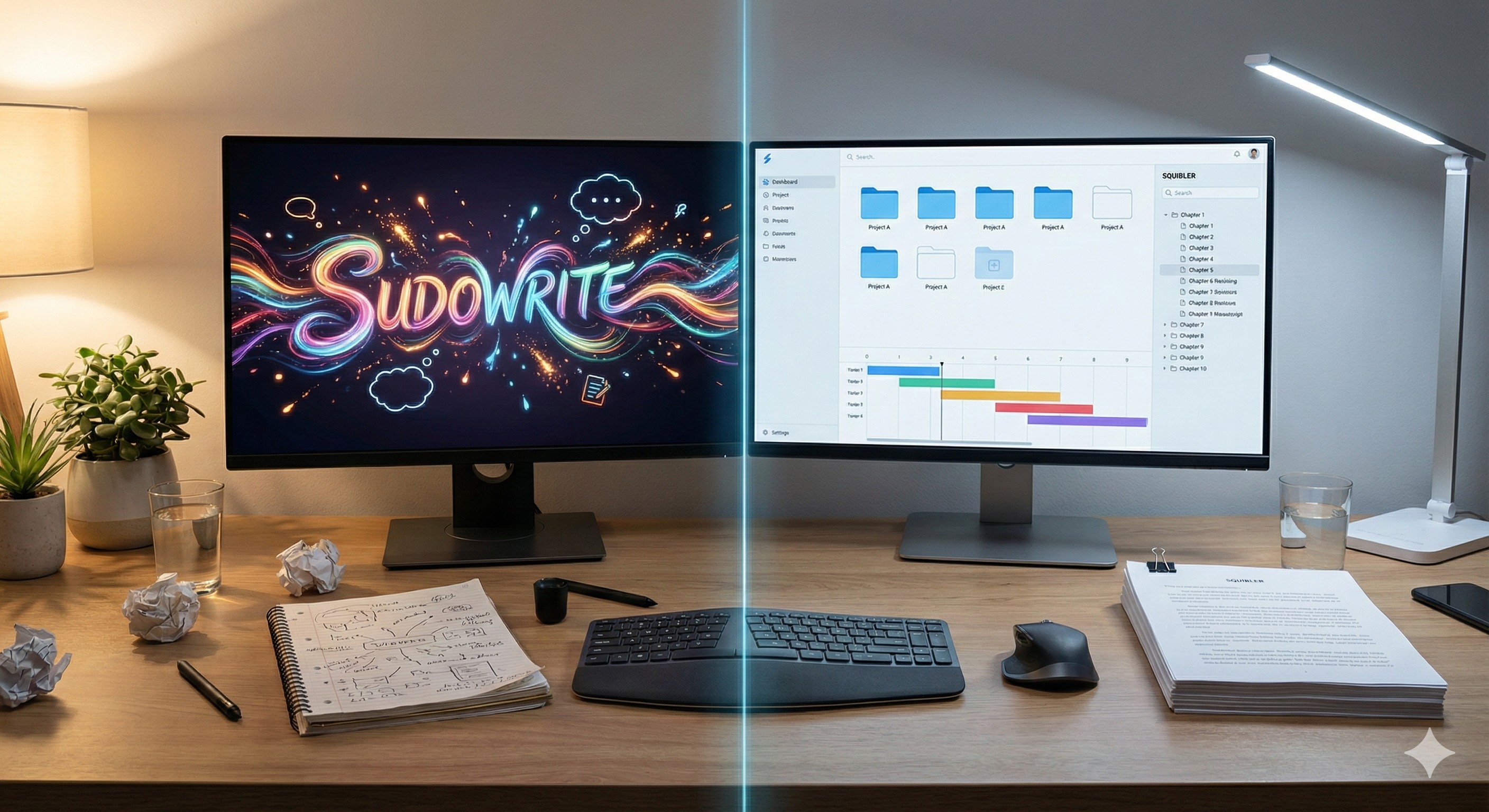
Squibler vs Sudowrite 2026: Which AI Novel Writer is Actually Better?
The "blank page" isn't the only enemy writers face. Sometimes, the problem is having hundreds of messy pages and absolutely zero structure.
If you are looking for an AI writing tool to help you finish a novel, a screenplay, or a long-form story in 2026, you have likely narrowed your search down to the two heavy hitters: Sudowrite and Squibler.
On the surface, they look similar. Both use advanced AI models to generate text. Both promise to speed up your workflow and cure writer's block. But after testing both extensively, the reality is that they solve two completely different problems. Choosing the wrong one won't just waste your money; it will severely frustrate your creative process.
This guide strips away the marketing jargon to look at the mechanics of each tool. We will help you decide if you need a creative writing partner (Sudowrite) or a strict project manager (Squibler).
The Core Difference: Chaos vs. Order
To understand which tool you need, you first need to diagnose your specific writing bottleneck. Are you struggling to come up with the words, or are you struggling to organize the chapters?
- Sudowrite is built for the "Pantser" (Discovery Writer). It is designed to break writer's block by throwing wild, creative ideas at you. It hallucinates scenes, describes deep sensory details, and acts like a tireless co-author who is always ready to say, "Yes, and..."
- Squibler is built for the "Plotter". It is less about the initial creative spark and much more about the discipline of finishing the book. It provides a rigid framework—chapters, visual timelines, and daily goals—and uses AI to help you fill in the gaps within that structure.
1. Sudowrite: The Ultimate Creative Engine
Read our full, deep-dive Sudowrite Review here
Sudowrite doesn't try to be a traditional word processor; it tries to be a writer. Its interface is hyper-focused on the prose itself. If you write fantasy, sci-fi, romance, or highly descriptive fiction, this tool is designed to mimic a human author's brain.
Key Strengths of Sudowrite:
- The "Story Engine" & "Story Bible": This is Sudowrite’s killer feature for 2026. You feed it a "brain dump" of your genre, characters, and plot points into the Story Bible. The AI remembers these details (so your protagonist's eye color doesn't magically change in chapter 12) and can generate structured beats and full prose for an entire chapter.
- The "Describe" Feature: One of the hardest parts of writing fiction is "showing, not telling." Highlight a noun (e.g., "the abandoned cabin") and ask Sudowrite for sensory descriptions. It will give you distinct options for how the cabin smells, sounds, and feels.
- Pacing & Tone Control: The quality of the prose is arguably the most "human" on the market because Sudowrite allows for specific control over the narrative voice. You can tell it to be "ominous," "witty," or "fast-paced," and it actually listens.
The Downside: Sudowrite can be messy. While the Story Bible helps, the tool generates a massive amount of text very quickly. It doesn't track your daily word-count goals or format your manuscript for Amazon Kindle export.
2. Squibler: The Strict Project Manager
Read our full, deep-dive Squibler Review here
If Sudowrite is the messy, paint-splattered creative studio, Squibler is the tidy, organized office.
Squibler functions more like specialized project management software (think Scrivener) with a powerful AI engine attached to it. When you open Squibler, you aren't just looking at a blank page; you are looking at a master dashboard.
Key Strengths of Squibler:
- Structured Workflow (Scrivener Alternative): Squibler forces you to organize. You create folders for chapters and sub-files for scenes. You can drag and drop elements of your story around a visual timeline. This is crucial for authors writing complex sagas or non-fiction books where narrative structure is everything.
- Smart Writer: Squibler’s AI mode works exceptionally well for "bridging." If you write a sentence and get stuck, you press a button, and it expands on your thought based on the context of your chapter. It is highly focused on carrying the momentum forward rather than generating wild plot twists.
- The "Ship It" Advantage: Squibler is designed to get the product finished and published. It has excellent, one-click export options for PDF, Kindle (EPUB), and print-ready formats. Sudowrite requires you to copy-paste your raw text into another formatting tool.
The Downside: The AI prose generated by Squibler can sometimes feel a bit more "standard" or generic compared to Sudowrite. It lacks the deep, poetic sensory tools that Sudowrite excels at.
Head-to-Head Feature Comparison
| Feature | Sudowrite | Squibler |
|---|---|---|
| Primary Goal | Overcoming Writer's Block | Finishing & Formatting the Book |
| Best For | Fiction / Creative Prose | Non-Fiction / Structured Fiction |
| AI "Creativity" | High (Wild ideas, sensory details) | Moderate (Expands strictly on input) |
| Organization | Moderate (Story Bible) | High (Folder/Project-based) |
| Export Options | Raw Text / Basic Doc | Formatted Manuscript (PDF, EPUB) |
The Boring Truth: Which One Makes You Money?
As an author, your ultimate goal is to hit "Publish."
If you are stuck in the "ideation phase"—looping on the same three chapters for six months because you can't figure out the middle of the book—Sudowrite is the investment that gets you unstuck. It is far cheaper to pay for Sudowrite than to never finish your book at all.
However, if you already have a pile of notes, character arcs, and half-finished drafts that are an absolute mess, Squibler is the better investment. It provides the rigid container you need to pour your chaotic ideas into, organize them, and finally hit "Export."
Frequently Asked Questions (FAQ)
Do I own the copyright to the text these tools generate? Yes. Both Sudowrite and Squibler’s terms of service state that you retain 100% of the commercial rights to the content you create and refine on their platforms.
Will these tools write an entire book for me with one click? No. Neither tool is a "magic button." They are co-authors. You still need to provide the creative direction, edit the output, and guide the narrative. If you don't edit the AI, your book will sound like AI.
Can I use them together? Technically, yes, but it gets expensive. Some professional authors use Sudowrite to generate their raw, creative chapters, and then paste that text into Squibler to organize and format the final manuscript. However, for most beginners, picking one is the best strategy.
Final Verdict & Recommendation
Do not buy both. Start with the software that solves your current biggest pain point.
👉 Try Sudowrite for Free Here Choose this if you need a creative spark, deep sensory descriptions, and a brainstorming partner that helps you write beautiful prose.
👉 Try Squibler for Free Here Choose this if you need discipline, visual timelines, and a tool that helps you manage the project from a messy draft to a Kindle-ready export.
Transparency Note: The Story & Script AI Directory is reader-supported. We may earn a commission if you allow us to guide you to a purchase.
Listings related to Squibler vs. Sudowrite: Do You Need a Writing Partner or a Project Manager?
Sudowrite
Boost your storytelling and scriptwriting with Sudowrite AI — brainstorm ideas, refine dialogue, and structure plots with ease.

Squibler
Squibler’s AI Book and Novel Writer helps you turn ideas into full novels and scripts fast, making writing easier than ever.